Sticky notes that wait at the edge of your Mac.
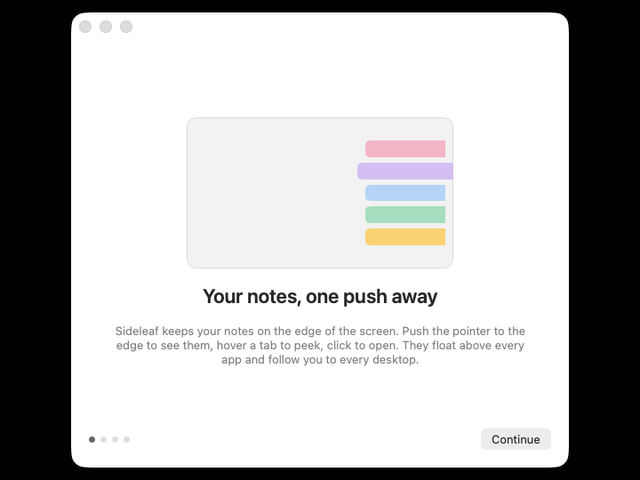
Push your pointer to the side of the screen and your notes fan out. Hover to peek, click to write, and they tuck away again. Try it right here, it's the real thing.
Coming to the Mac App StoreYour notes stay on your MacNo account needed
A whole notes app, tucked into the edge.
The deck is the part you see most. Behind it is everything you'd expect from a notes app, minus the parts that get in the way.
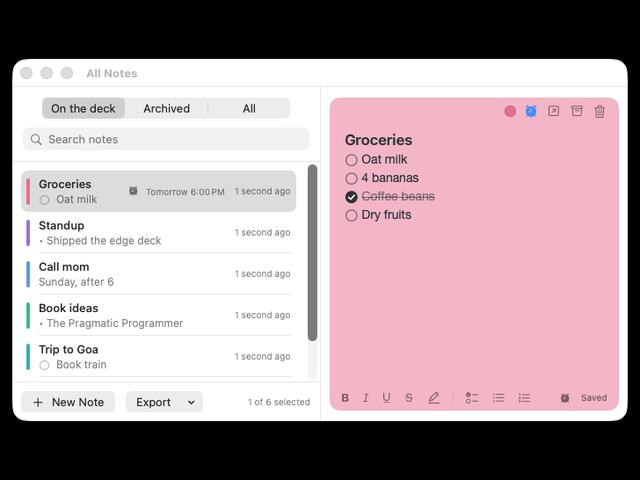
All Notes, side by side
⌥⌘L opens every note in one window. Search on the left, click a note and edit it on the right. Archive what you're done with instead of deleting it.
One window per note
Click a tab and that note opens in its own small window, floating above whatever you're doing. Open three and arrange them like paper on a desk.
Delete never asks
No "Are you sure?" dialogs. Delete a note and you get ten seconds to take it back. Try it.
Eight colours
Rose, lilac, sky, mint, butter, cloud, sea and peach. Press ⌘. to cycle through them, or pick one from the dot. Tap a swatch to see.
Light and dark
Sideleaf follows your Mac. In dark mode the deck and windows go dark and the notes stay soft paper, so your writing is always easy to read.
Reminders
Pick a time. When it's due, the note pops out of the edge.
⌥⌘N from any app
A new note without leaving what you're doing.
Left or right edge
Pick the side you reach for. Any display.
Over full-screen apps
The deck follows you to every Space.
Search everything
Find any note by any word, archived ones too.
Archive, don't lose
Clear the deck without deleting anything.
Pictures
Paste or drop a screenshot right into a note.
Export any time
Markdown, plain text or rich text with pictures.
Shortcuts and Spotlight
New notes from Siri and Shortcuts, find notes in Spotlight.
Services menu
Select text in any app and send it to a new note.
Apple Intelligence
Tidy up, fix spelling or make a checklist, on your Mac.
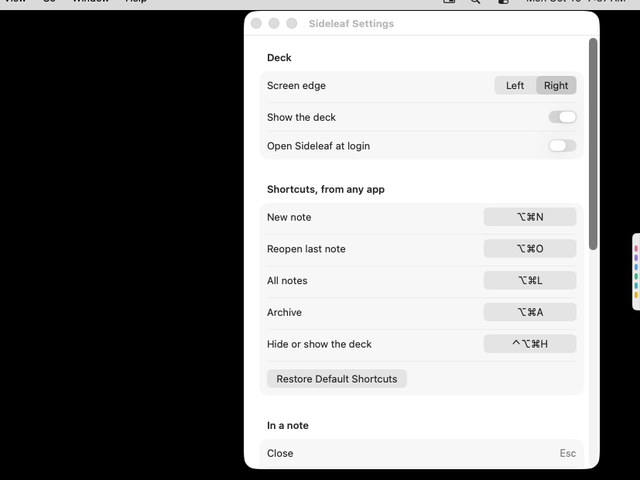
Your own shortcuts
Change any global shortcut in Settings.
Your notes, in your order, on your time.
Reminders that tap you on the shoulder
Click the alarm clock on a note and pick a time: in 15 minutes, this evening, tomorrow morning or any date. When it's due, your Mac shows a notification and the note's tab slides out of the screen edge and stays there until you open it.
Drag to-dos into order
Grab a to-do by its circle and drop it where it belongs. Sub-items come along. From the keyboard, ⌥⌘↑ and ⌥⌘↓ do the same.
Lists that start themselves
Type a few characters at the start of a line and a list begins. Press Tab for a sub-item, Return for the next one.
All of Sideleaf, on one page.
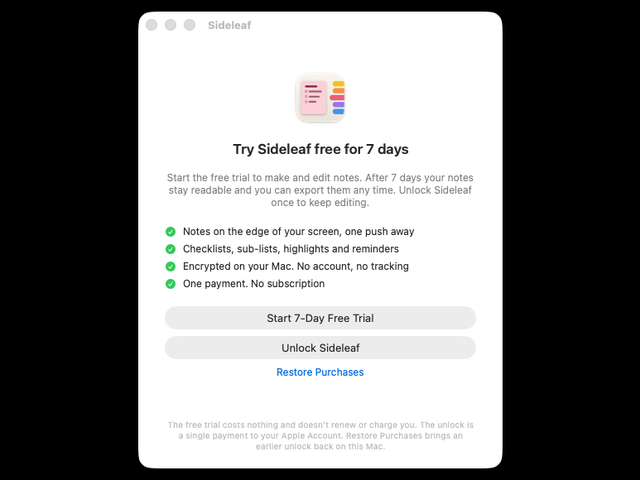
These are real screenshots of the Mac app.
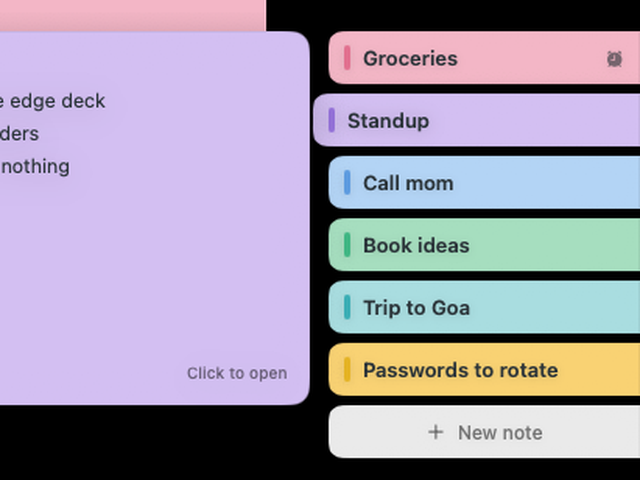
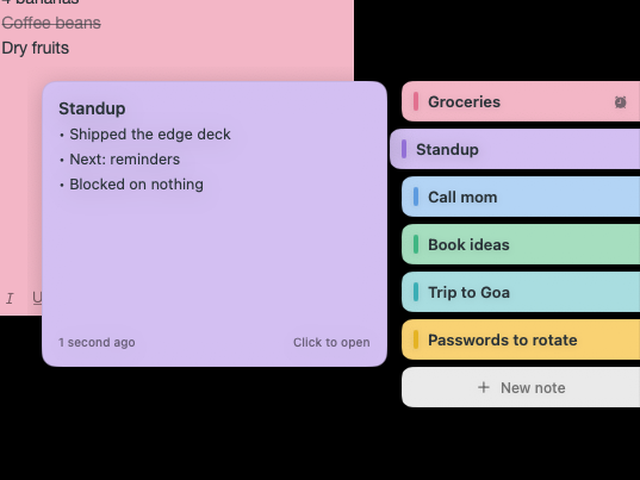
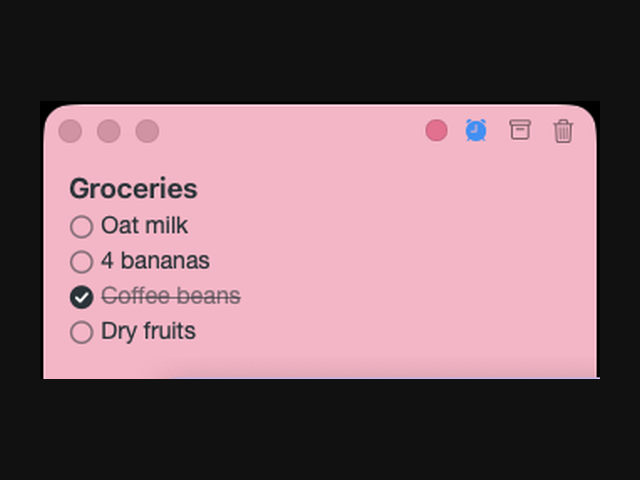
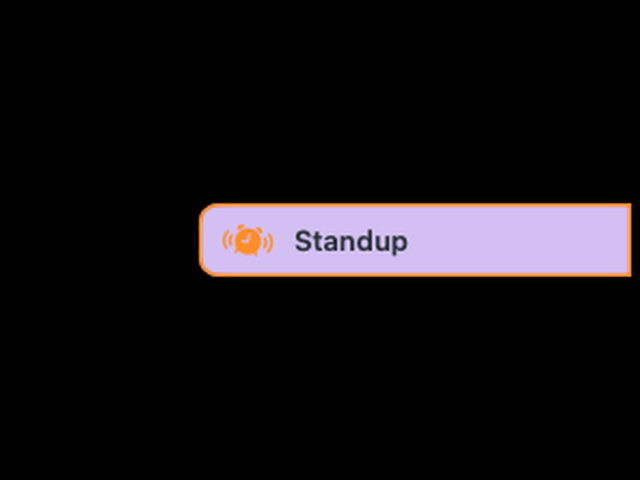
It does nothing, beautifully.
Most of the time a sticky note app should be invisible. Sideleaf sits still until you reach for it.
It waits to be told
macOS tells Sideleaf when the pointer reaches the edge. Nothing checks in the background, so nothing drains your battery.
Closed means closed
A note window you close is released, not hidden. Memory goes back to your Mac.
Still when you're not looking
Animations run only while you use the deck, then stop completely.
Measured on a Mac running macOS 26 with six sample notes and a reminder due: memory as Activity Monitor reports it, CPU averaged over 20 seconds while Sideleaf waited at the edge.
Your notes never leave your Mac.
- No accountNo email, no sign-in, no profile. Open it and start writing.
- Works offlineNothing about your notes goes over the network. Ever.
- Encrypted as it savesEvery change is sealed with AES-256 before it's written, with a backup of the last save. The key stays in your keychain.
- Yours to takeExport every note as Markdown, text or rich text whenever you like, even after the trial.
Three keys, and your hands stay on the keyboard.
The shortcuts that work from any app can be changed in Settings.
From any app
New note⌥⌘N
All notes⌥⌘L
Last note⌥⌘O
Archive⌥⌘A
In a note
Put it awayEsc
Next colour⌘.
Move item⌥⌘↑↓
Delete, with undo⇧⌘⌫
Formatting
Bold, italic⌘B ⌘I
Checklist⇧⌘L
Highlight⇧⌘H
Strikethrough⇧⌘X
Pay once. Keep it.
Try everything free for seven days. If you don't buy, nothing is deleted: your notes become read-only and you can still search and export them.
- Every feature, nothing held back
- No card and no account
- Doesn't renew or charge you
- Afterwards your notes stay readable and exportable
- One payment through the Mac App Store. No subscription
- Comes back on your other Macs with your Apple Account
- Every version 1 update included
- Supports one person building something small and careful
What people ask first.
Do I need an account?
No. There's nothing to sign up for. Buying uses the Apple Account you already have on your Mac.
What happens when the trial ends?
Sideleaf becomes read-only. Every note stays visible, searchable and exportable. Unlock it once and you can edit again straight away.
Is it a subscription?
No. You pay once. Updates to version 1 are included.
How many Macs can I use it on?
Every Mac signed in to your Apple Account. Use Restore Purchases on a new Mac.
Does it work offline?
Yes, completely. Sideleaf never needs the internet, except the App Store when you buy.
Which Macs does it run on?
Any Mac on macOS 26 or later. The Apple Intelligence actions appear only on Macs that support Apple Intelligence.
What about several displays?
Choose which display the deck lives on in Settings, and which edge, left or right.
Will it get in the way of games or presentations?
The deck is a thin strip until you reach for it. You can hide it any time with ⌃⌥⌘H.
Will it clutter my Dock or ⌘-Tab?
No. Sideleaf has no Dock icon and doesn't appear in ⌘-Tab. It lives in the menu bar and on the edge.
Can I get my notes out?
Any time, from All Notes: Markdown, plain text, or rich text that keeps pictures and formatting.
Is there a Windows or iPhone version?
Not yet. Sideleaf is made for the Mac. An iPhone app and sync between Macs are being considered.
Put your notes on the edge.
The beta opens soon on TestFlight. Follow Sideleaf on Threads and X to get the link first.
- macOS 26 or later
- Updates through the App Store
- No account to try
- No tracking